Map features to hardware
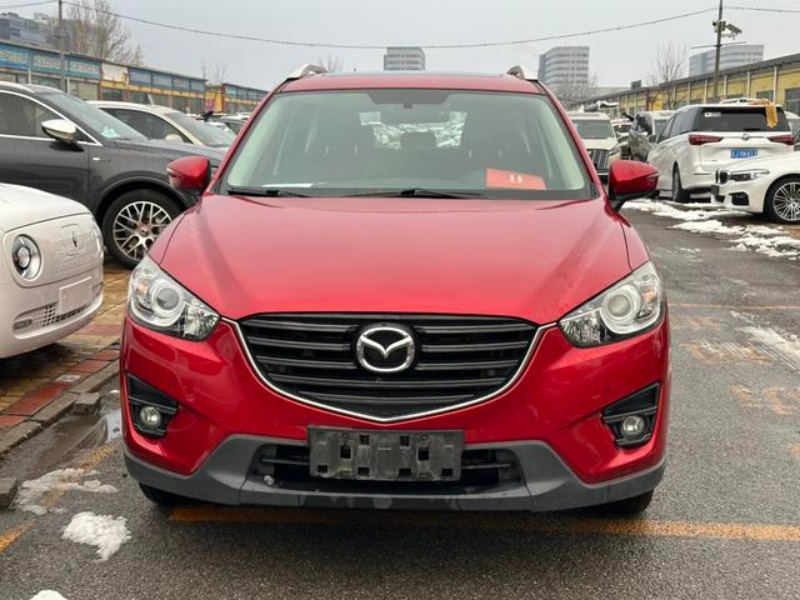
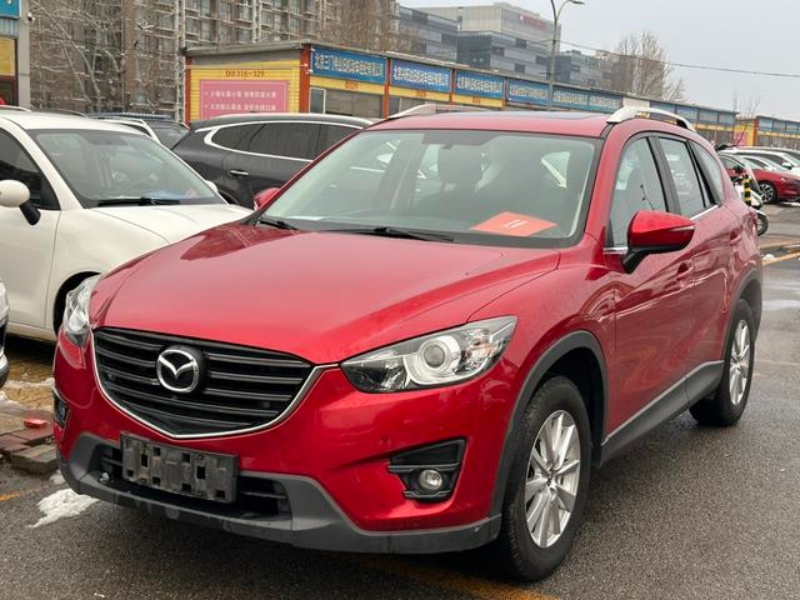
Depending on version, i-ACTIVSENSE functions can use a forward sensing camera, front radar, rear radar and ultrasonic or view cameras. Confirm which sensors are physically fitted and which functions appear in the correct vehicle menus.
Inspect repair and warning evidence
Check the windscreen camera area, grille, bumpers, brackets and wiring for replacement or impact. Scan relevant modules before faults are cleared and investigate unavailable-system messages; cosmetic repair can still disturb sensor alignment.
Use a controlled function test
Test only where conditions and local law permit, following the matching owner manual. Assistance systems have operating limits and never replace the driver. Add these checks to the full CX-5 pre-purchase inspection.
Quick answer
Verify i-ACTIVSENSE by exact feature, sensor and warning status. Equipment differs by market and model year, while windscreen, grille, bumper, suspension and collision repairs can affect cameras or radar. A clean dashboard alone does not prove correct calibration.
Follow the sensor trail
Start with the installed feature list, then identify the camera, radar or ultrasonic hardware each function uses. Mazda’s owner information labels many systems “some models,” so the exact-market specification matters more than a generic i-ACTIVSENSE description.
Repair history and sensor condition belong together. Windscreen work can affect the forward camera area; grille, emblem or bumper repair can affect radar or ultrasonic hardware; wheel alignment and suspension changes can influence system performance. Keep paint and structural findings beside scan and calibration evidence.
Do not stage unsafe demonstrations. A controlled warning, menu and diagnostic review plus qualified calibration evidence is more defensible than asking a driver to provoke emergency intervention. Any unresolved safety-system message should remain visible in the purchase decision.
Record the post-repair boundary
When glass, bumper, grille, suspension or sensor work appears in the history, ask what was replaced and whether the matching Mazda repair and calibration procedure was followed. An invoice that names only cosmetic labour does not prove sensor alignment.
Keep pre-purchase scan results, warning photographs and calibration documents together. If destination support is uncertain, price that uncertainty before export; a feature that cannot be diagnosed locally should not receive full equipment value.
Decision table
What to verify before choosing
- 01Create a feature list from the candidate vehicle, not another market’s brochure, and match each important function to its sensor hardware.
- 02Inspect the windscreen near the forward camera, front grille or emblem area, both bumper corners, wheel alignment and visible brackets for repair evidence.
- 03Scan relevant modules before code clearing and save current, history and communication faults with the VIN file.
- 04Use a qualified calibration route after relevant glass, body, sensor or alignment work and retain the result where the system requires it.
A practical action plan
Feature map
Create a feature list from the candidate vehicle, not another market’s brochure, and match each important function to its sensor hardware.
Hardware map
Inspect the windscreen near the forward camera, front grille or emblem area, both bumper corners, wheel alignment and visible brackets for repair evidence.
Condition evidence
Scan relevant modules before code clearing and save current, history and communication faults with the VIN file.
Approval rule
Use a qualified calibration route after relevant glass, body, sensor or alignment work and retain the result where the system requires it.
Which buyer profile fits?
Scenario 1
A later high-specification buyer should require a longer function and sensor review because more equipment creates more verification points.
Scenario 2
A repaired vehicle may remain acceptable only when repair scope, sensor condition, alignment and calibration evidence are clear.
Scenario 3
An exporter should confirm that destination workshops can diagnose and calibrate the fitted system before paying a technology premium.
How to compare shortlisted vehicles
| Decision area | Target | Weight |
|---|---|---|
| Feature map | Functions shown in the matching manual and vehicle menus | Mandatory match |
| Hardware map | Forward camera, front/rear radar, ultrasonic and view cameras as fitted | High priority |
| Condition evidence | Repair history, scan, warning status and mounting condition | Cost and risk |
| Approval rule | No unresolved safety-system fault or unsupported equipment claim | Final confirmation |
Mistakes that create avoidable cost
- Assuming i-ACTIVSENSE means the same feature bundle on every CX-5.
- Trigger-testing emergency braking unsafely on public roads.
- Clearing an unavailable-system warning without diagnosing it.
- Replacing a windscreen or bumper without considering camera or radar calibration.
Frequently asked questions
What is i-ACTIVSENSE?
Mazda uses the term for a group of driver-support and safety technologies; the exact fitted systems vary by vehicle.
Does no warning light mean the ADAS is correct?
No. Scan results, hardware condition, menus, appropriate function checks and calibration history may still be needed.
Can a repaired bumper affect radar?
Yes. Sensor position, brackets, materials and alignment can matter, so inspect and follow the matching repair procedure.
Do driver-assistance systems replace the driver?
No. Mazda states that the systems have limitations and the driver must remain responsible.
Reference sources
Official information is used to understand the model family. The individual VIN, documents and inspection remain authoritative for a vehicle offered for sale.
Verify the exact vehicle
Specifications vary by year and market. Match the VIN, vehicle documents, inspection findings and manufacturer service information before purchase.