
Identify what is installed before discussing an upgrade
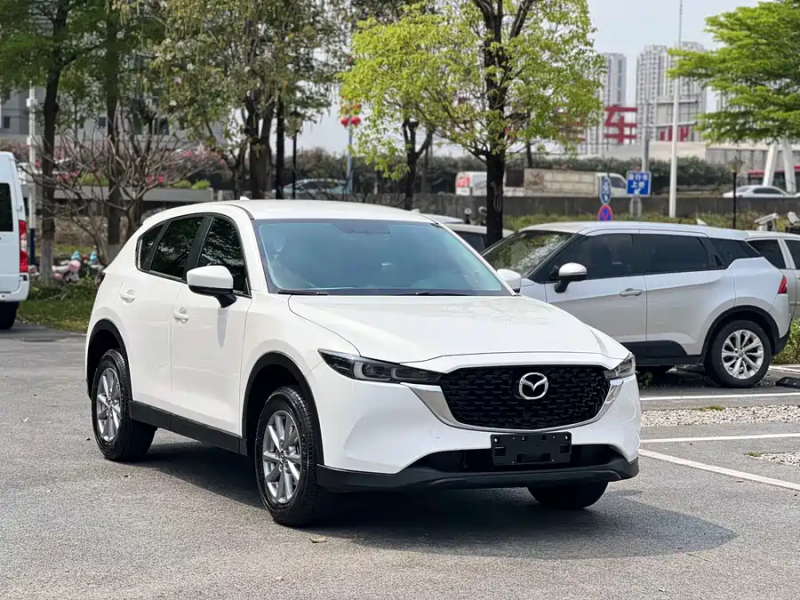
Request photographs of the home screen, system information where available, controller, USB ports and any aftermarket branding. Keep the original specification record and ask whether the display, hub or head unit has been replaced. A screen that resembles Mazda equipment may be an aftermarket system with different support needs. Consult the CX-5 infotainment and connectivity guide for language, navigation and original-market limitations. Separate ordinary Bluetooth calling from smartphone projection; a successful Bluetooth connection does not establish CarPlay or Android Auto. The quotation should state which function is demonstrated and which remains only a seller claim.
Run a repeatable phone trial
Use a supported phone, suitable cable where a wired connection is required and the actual vehicle ports. With the car safely stationary, pair the device, accept the relevant prompts and test a map, an audio application and a call. Record the operating-system version and connection method. Restart the vehicle and reconnect to see whether setup persists. A short charging demonstration proves only that electrical power reaches the phone. Where wireless support is claimed, test it without quietly leaving the cable connected. Note whether any dongle is required and who supports it if the connection becomes unreliable after a phone update.
Check audio, controls and connection stability
Listen through the fitted speakers and test microphone clarity, the volume controls and steering-wheel buttons. Confirm that navigation instructions can be heard without losing ordinary audio control. Check whether the system returns correctly after a call or after using a fitted reverse camera. Do not deliberately operate menus while driving; a passenger can observe normal behaviour during a lawful road test. Ask whether previous disconnections occurred with multiple phones or only one device. A seller-selected phone on one occasion is useful but incomplete evidence. The intended user’s language settings, applications and connection method should be included in the acceptance test.
Price a retrofit as a complete supported job
Obtain an itemised proposal from a competent installer that names the compatible hardware, required software, labour and warranty responsibility. Do not assume a generic kit for all CX-5 years will fit the original-market car. Ask whether existing cameras, vehicle settings, audio amplifiers and controls remain functional. The VIN and parts-matching guide is useful when a hub, cable or module must be ordered. Avoid unverified firmware files and promises to unlock every regional feature. A retrofit quote should also explain rollback or repair options if the original system does not behave correctly after installation.
Treat aftermarket screens as a separate product
If the candidate has a replacement screen, identify its manufacturer, model, documentation and update route. Determine whether functions depend on an additional application, paid licence, mobile data or the seller’s account. Check sleep behaviour and restart after parking, because intermittent power problems may not appear during a brief showroom demonstration. Ask for installation evidence and inspect accessible wiring through a qualified technician. The 12V and storage checks can help frame a battery-drain concern without blaming the screen automatically. A larger display should not be valued above a smaller supported system solely because it looks newer.
Agree the handover test before shipment
State whether the car must arrive with a demonstrated wired function, verified wireless function or no projection capability. List included cables, dongles and original parts. Remove previous-owner personal data with permission and test again using a new pairing; do not erase diagnostic evidence as part of a casual reset. Use the ownership handover checklist for the separate account and key transfer. If destination support for a retrofit cannot be established, consider a vehicle with documented factory capability or budget for a lawful local upgrade. Buy on demonstrated usability, not a model-year shortcut or a screen photograph.
Evidence checklist
- System identity and modification history
- Own-phone wired or wireless test
- Audio, camera and control acceptance checks
- Itemised supported retrofit proposal
- Accessories and new-pairing handover record
Buyer questions
Does Bluetooth prove Apple CarPlay is available?
No. Bluetooth calling and smartphone projection are separate capabilities and require separate demonstrations.
Can one model-year list confirm every China-market CX-5?
No. Original market, fitted hardware, software and modifications must be checked on the specific vehicle.
Reference and inspection scope
Use the documentation for the actual vehicle, original market and destination. US references do not establish China-market equipment, enrol an offered VIN in a certification programme or confirm destination approval. Inspection questions are not repair instructions.
Mazda Connect official support: match the installed system and market
Verify the exact vehicle
Specifications vary by year and market. Match the VIN, vehicle documents, inspection findings and manufacturer service information before purchase.